For restaurants, cafés and bars
A digital menu your guests will actually enjoy reading
Upload the menu PDF you already have and get a menu that flips like the printed one — on any phone, from a QR code on the table. No app, no login for guests, no watermark.
Free · No watermark · Nothing to install
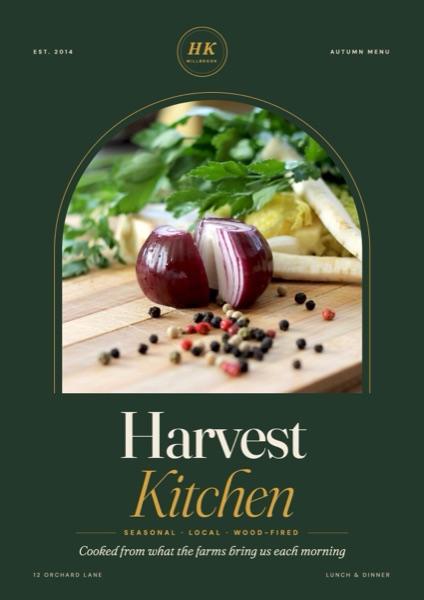 Harvest Kitchen · Restaurant menu — flip through it →
Why use a flipbook for restaurant menus?
Readable on every phone
Guests swipe page by page instead of pinching and zooming around a tiny PDF. Your photos and fonts stay exactly as designed.
One link for every table
Publish at a short address like flipbookmaker.online/your-cafe-menu and print its QR code on table tents, windows and receipts.
Know it's being used
Daily view counts show how many guests opened the menu — useful for checking whether the QR codes are working.
Your brand, not ours
Add your logo, phone number and website. There's no watermark on your pages.
How to make it in 3 steps
- 1
Export your menu as a PDF
From Canva, Word, Illustrator or whatever you design in. Phone photos of a printed menu work too.
- 2
Drop it into Flipbook Maker
It becomes a flipbook in seconds, right in your browser. Check each page and the reading order.
- 3
Publish and print the QR code
Pick your link, add your restaurant's details, publish, then download the QR code from the share panel.
Tips that make a difference
- Put your best-sellers and specials on the first spread — that's what most guests read.
- Keep text at least 10–11 pt in the PDF so it's easy to read on a phone without zooming.
- Make separate flipbooks for drinks, brunch or seasonal menus and link them from your Instagram bio.
- Test the QR code from the table before printing a whole batch.
Frequently asked questions
Do guests need to download an app?
No. The menu opens in the phone's normal web browser from the QR code or link.
Is the digital menu really free?
Yes. Making and publishing your menu flipbook is free, and there's no watermark on your pages.
Can I see how many people opened my menu?
Yes. Every published flipbook shows views for today, the last 7 days and all time in your dashboard.
What file should I upload?
A PDF works best. You can also upload JPG or PNG photos of each page, or a Word document.
Make your restaurant menu flipbook now
Upload a PDF, photos or a Word file. It’s free, with no watermark and nothing to install.
Upload your file